Linkyo — Hp Toner Cartridges
Affordable Printing Solutions for Home Offices, Educators, and Small Business Owners
What is Linkyo HP Toner Cartridges? The answer lies in understanding the brand's commitment to delivering professional-grade printing without the premium price tag. Founded in 2002 in La Puente, California, Linkyo emerged from a simple observation: quality printing supplies shouldn't drain small business budgets or force educators to compromise on materials. The brand specifically serves those who need reliable, high-volume printing but refuse to sacrifice quality for affordability.
Home office workers represent a core segment of the Linkyo community. These professionals require crisp, clear documents for contracts, presentations, and daily correspondence. Small business owners find particular value in the cost savings, as replacing HP LaserJet cartridges multiple times per year with OEM products can significantly impact operating expenses. Linkyo addresses this pain point directly with remanufactured and compatible cartridges that match original performance standards.
College professors and educators complete the primary audience for this brand. Course materials, handouts, syllabi, and research documents demand consistent print quality across thousands of pages each semester. The high-yield capacity of up to 8,000 pages per cartridge makes Linkyo an essential resource for educational institutions operating on tight departmental budgets while maintaining academic standards.
Complete HP LaserJet Coverage From Popular Models to Specialty Cartridges
The product lineup encompasses a comprehensive selection of HP toner cartridges designed to serve virtually every HP LaserJet printer in circulation. From the widely-used HP 48A series for compact home printers to the high-performance HP 202X color cartridges for professional-grade color documents, the catalog addresses diverse printing requirements across multiple printer generations.
Black toner cartridges form the foundation of the collection, serving the bulk of standard document printing needs. These cartridges deliver sharp text reproduction and consistent density throughout their lifespan. Color options expand the possibilities for presentations, marketing materials, and educational resources that require visual impact without compromising on print clarity.
Each cartridge undergoes production at advanced manufacturing facilities that maintain strict quality control protocols. The inspection process covers every stage of production, from initial component sourcing through final assembly and testing. This attention to detail ensures that whether customers purchase a single replacement cartridge or stock up on multiple units, they receive uniform quality and reliable performance.
Remanufactured Excellence Through Precision Quality Control
The engineering philosophy behind every cartridge centers on a fundamental principle: remanufactured does not mean reduced quality. Each cartridge begins with carefully sourced OEM cores that undergo complete disassembly and inspection. Components that show any wear or degradation are replaced with new parts manufactured to original specifications, creating a rebuilt product that performs identically to factory-fresh cartridges.
Advanced facilities employ multi-stage quality control systems that catch defects before products ever reach shipping. Visual inspection identifies physical imperfections, while functional testing verifies proper toner distribution, drum performance, and chip programming. The chips themselves receive special attention, programmed to communicate accurately with HP printer firmware and display correct page counts and toner levels.
This meticulous approach to remanufacturing produces cartridges that meet or exceed OEM performance benchmarks at significantly lower price points. The technology represents years of refinement in understanding how toner particles interact with imaging drums and fuser assemblies. Temperature sensitivity, particle size distribution, and chemical formulation all factor into the final product, resulting in prints that remain sharp and professional from the first page to the last.
Best Linkyo HP Toner Cartridges Features for Professional Printing
- 2-Year Money Back Satisfaction Guarantee Every toner cartridge purchase includes comprehensive coverage that protects customers for a full 24 months. If any product fails to meet expectations, the company provides a complete refund without hassle.
- High-Yield Page Capacity Cartridges deliver up to 8,000 pages at standard 5% coverage, significantly reducing the frequency of replacements and lowering per-page printing costs for high-volume users.
- OEM-Equivalent Performance Strict manufacturing standards ensure that text sharpness, color accuracy, and toner density match original HP specifications throughout the cartridge lifespan.
- Universal Compatibility Products work seamlessly with major HP LaserJet models including the HP 48A and 202X series, along with compatibility for Brother and Canon printers in the broader catalog.
- Advanced Chip Technology Each cartridge includes properly programmed chips that communicate accurately with printer firmware, ensuring correct toner level readings and error-free operation.
- Rigorous Production Inspection Every unit passes through multiple quality checkpoints during manufacturing, with careful inspection at each stage to eliminate defects before shipping.
Popular Cartridge Series That Keep Offices Running Smoothly
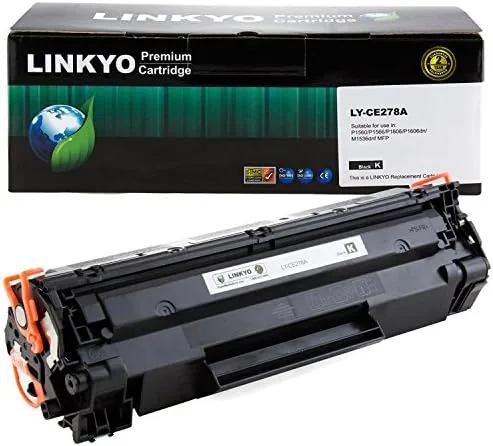
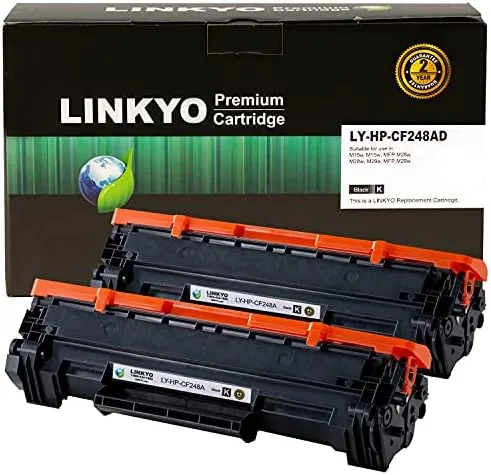
The HP 48A compatible cartridge stands out as a consistent performer for compact LaserJet printers commonly found in home offices and small business environments. This series delivers reliable output for standard document printing, handling everything from contracts to invoices with crisp, professional results. The 48A's popularity stems from its balance of affordability and performance in entry-level laser printers.
For users requiring color printing capabilities, the HP 202X series represents the go-to solution. These high-yield cartridges produce vibrant colors for presentations, marketing collateral, and educational materials. The cyan, magenta, yellow, and black options work together to create accurate color reproduction that meets professional standards for business and academic applications.
Both series benefit from the same manufacturing excellence and quality control processes. Whether purchasing black-only cartridges for document-heavy workflows or building a complete color set for diverse printing needs, customers receive products engineered to deliver thousands of pages without quality degradation or mechanical failures.
Premium Toner Formulation and Drum Component Construction
The toner powder itself represents a carefully engineered product designed to match OEM particle characteristics precisely. Particle size distribution falls within tight tolerances that ensure smooth flow through the cartridge mechanism and even distribution across the imaging drum. The chemical composition produces proper fusing temperatures, allowing the toner to bond permanently with paper without excessive heat requirements that could slow print speeds.
Imaging drums receive particular attention during the remanufacturing process. These photosensitive components determine print quality more than any other element, and worn drums produce faded prints, ghosting, and inconsistent coverage. Each drum undergoes inspection for surface imperfections and coating integrity. Components that fail to meet specifications are replaced with new drums manufactured to original tolerances.
The cartridge housing and mechanical components complete the construction. Feed mechanisms, wiper blades, and seals all contribute to proper toner flow and containment. Replacement of wear-prone parts ensures that remanufactured cartridges function mechanically identically to new products, eliminating the issues sometimes associated with lower-quality refurbished alternatives. This comprehensive approach to construction produces cartridges that install easily and operate reliably throughout their service life.
Consistent Output Quality Through Thousands of Pages
Real-world performance testing demonstrates that these HP toner cartridges maintain consistent density and sharpness from installation through depletion. Users printing standard business documents observe uniform text quality whether printing page one or page seven thousand. This consistency matters particularly for professional correspondence, legal documents, and educational materials where readability cannot vary throughout a print run.
Durability extends beyond print quality to physical reliability. The cartridges handle the mechanical stresses of high-volume printing without feed problems, toner clumping, or premature failure. Small businesses running dozens of print jobs daily report trouble-free operation that matches or exceeds their previous experience with name-brand products at twice the cost.
Color cartridge performance delivers accurate reproduction across the spectrum. Graphics, charts, and photographs print with proper color balance and saturation. Educators producing course materials with diagrams and illustrations find that students can clearly distinguish visual elements, supporting effective learning without reprinting due to quality issues. The combination of reliable mechanics and quality output creates a printing experience that professionals can depend on for critical documents.
How Does Linkyo HP Toner Cartridges Work for Daily Office Printing
- Installation Process Remove the cartridge from its sealed packaging, gently shake it side-to-side five times to distribute toner evenly, remove the protective tape, and insert into the printer following the manufacturer's guide marks.
- Initial Calibration Allow the printer to complete its automatic calibration cycle after installing new cartridges. This process optimizes print density and color alignment for the specific cartridge characteristics.
- Optimal Print Settings Use standard or draft mode for internal documents to maximize page yield. Reserve high-quality mode for customer-facing materials and presentations where appearance matters most.
- Storage Guidelines Store unused cartridges in original packaging in a cool, dry location away from direct sunlight. Proper storage maintains toner consistency and extends shelf life before installation.
- Troubleshooting Light Prints If prints appear faded after installation, remove the cartridge and shake gently to redistribute settled toner. Reinstall and run a cleaning cycle if streaking persists.
Printer Compatibility Verification and Safe Installation Practices
Verifying printer compatibility before purchase prevents installation issues and ensures optimal performance. Each cartridge product page lists specific HP LaserJet models that accept that cartridge type. Cross-referencing the printer model number — typically found on a label inside the printer cover or on the back panel — with the compatibility list confirms proper fit before ordering.
Safe installation begins with powering down the printer and allowing it to cool if recently used. The fuser assembly can retain heat that poses a burn risk. Opening the access panel according to HP's instructions reveals the cartridge bay, where the old cartridge releases with a gentle pull on its handle. Avoiding contact with the drum surface protects this sensitive component from fingerprint oils that can cause print defects.
The new cartridge slides into position along guide rails until it clicks into place. Closing the access panel prompts the printer to recognize the new cartridge and begin any necessary calibration. Users should allow this process to complete before sending print jobs. Following these straightforward procedures ensures trouble-free installation and optimal cartridge performance from the first print.
The Smart Choice for Budget-Conscious Professionals and Academic Departments
Ideal For
- Home office workers printing contracts and correspondence daily
- Small business owners managing operating expenses
- College professors producing high-volume course materials
- Administrative staff handling departmental printing needs
- Freelancers requiring professional document output
Key Benefits
- Significant cost savings versus OEM cartridges
- Reliable performance backed by satisfaction guarantee
- High page yields reducing replacement frequency
- Professional quality suitable for client-facing documents
- Environmentally responsible remanufacturing approach
Selecting the Right HP Toner Cartridges for Your Printer Model
Choosing the correct cartridge begins with identifying the exact HP LaserJet printer model. This information appears on the printer's front panel, inside the cover, or in the printer properties accessible through computer settings. Models like the HP LaserJet Pro M15w require the HP 48A cartridge type, while the HP Color LaserJet Pro MFP M281fdw uses the HP 202X series. Matching cartridge to printer ensures proper fit and functionality.
Page yield requirements influence the decision between standard and high-yield options. Standard capacity cartridges suit light printing environments where lower upfront cost matters more than per-page economy. High-yield cartridges — typically designated with 'X' in HP's naming convention — provide substantially more pages per cartridge, reducing replacement frequency and lowering long-term costs for heavier print volumes.
Color versus monochrome needs guide the final selection. Offices printing primarily text documents may only require black cartridges, simplifying inventory and reducing expense. Environments producing color materials need complete CMYK sets, with the option to buy Linkyo in multi-pack configurations that offer additional savings. Assessing typical print jobs helps determine the appropriate color configuration for each workspace.
The Linkyo HP Toner Cartridges shop provides filtering options that simplify selection. Entering the printer model displays only compatible products, eliminating guesswork. Customer service representatives also assist with compatibility questions, ensuring that every purchase matches the intended printer perfectly.
Linkyo HP Toner Cartridges Versus Leading Competitors
| Feature | Linkyo | HP OEM | Generic Brands |
|---|---|---|---|
| Price Point | 40-60% below OEM | Full retail price | Varies widely |
| Satisfaction Guarantee | 2-year money back | Standard warranty only | Limited or none |
| Page Yield | Up to 8,000 pages | Up to 8,000 pages | Often lower than stated |
| Quality Control | Multi-stage inspection | Factory standard | Minimal verification |
| Chip Programming | Full firmware compatibility | Native compatibility | Frequent errors |
| Print Quality | OEM-equivalent | OEM standard | Inconsistent results |
| Environmental Impact | Remanufactured cores | New production | Unknown sourcing |
| Customer Support | Direct assistance | Dealer dependent | Limited availability |
Comparison based on published specifications and customer feedback for HP LaserJet compatible cartridges.
Maximizing Cartridge Lifespan and Maintaining Print Quality
- Regular Printer Cleaning Remove accumulated toner dust from inside the printer monthly using a dry, lint-free cloth. This prevents buildup that can affect print quality and cartridge function.
- Proper Shutdown Procedures Power down the printer using its button rather than unplugging. This allows the cartridge carriage to park correctly and protects mechanical components.
- Humidity Control Maintain room humidity between 30-70% to prevent toner clumping and paper moisture issues. Extreme conditions affect both cartridge performance and print output.
- Toner Redistribution When prints begin showing fading, remove the cartridge and gently rock it side-to-side before reinstalling. This redistributes remaining toner for additional pages.
- Avoid Third-Party Override Chips The cartridges include properly programmed chips that work with HP firmware. Using override solutions can cause errors and void warranty coverage.
- Store Spares Correctly Keep backup cartridges sealed in original packaging until needed. Exposure to light and air degrades toner quality even before installation.